Command Line Basics
 Summet 2014
About Me
- Name:
- Josh Beauregard
- Work:
- Knectar
- Title:
- Drupal Orented DevOps
- Twitter:
- sanguisdev
- IRC:
- sanguisdex
What is the Terminal?
The terminal is an interface with the operating systam at its most simple level.Unix Philosophy
"Write programs that do one thing and do it well. Write programs to work together. Write programs to handle text streams, because that is a universal interface." - Doug McIlroy
The Basics
The Basics
Getting help
The Basics
Getting help
Read the manual
man (manual)
example: man man
The Basics
Flags
options that can be run with a command.
Flags start with - or --The Basics
Flags
-fdacds
--location --name
-x true -v fales --dir foobar
The Basics
Operators
      ~    home
      /    root
      .    Current directory
      ..   Parent directory
The Basics
Movement
cd (change directory)
Defaults to home
CRUDing
Create
Read
Update
Delete
cRud
Reading the file system
ls, list
Defaults to current directory
ls, list
sample output
authorize.php      install.php         robots.txt
CHANGELOG.txt      INSTALL.sqlite.txt  scripts
COPYRIGHT.txt      INSTALL.txt         sites
cron.php           LICENSE.txt         themes
includes           MAINTAINERS.txt     update.php
index.html         misc                UPGRADE.txt
index.php          modules             web.config
INSTALL.mysql.txt  profiles            xmlrpc.php
INSTALL.pgsql.txt  README.txt
ls
-l, Long format
Use a long listing format
total 244
drwxr-xr-x  3 knectar knectar 4096 Jan  4  2013 cache
drwxr-xr-x  3 knectar knectar 4096 Nov 13  2012 entry
drwxr-xr-x  3 knectar knectar 4096 Nov 13  2012 includes
-rw-r--r--  1 knectar knectar 3259 Jan  4  2013 index.php
drwxr-xr-x  4 knectar knectar 4096 Nov 13  2012 misc
drwxr-xr-x 15 knectar knectar 4096 Nov 13  2012 modules
-rw-r--r--  1 knectar knectar  720 Nov 13  2012 robots.txt
drwxr-xr-x  5 knectar knectar 4096 Nov 13  2012 sites
drwxr-xr-x  4 knectar knectar 4096 Nov 13  2012 themes
ls, list
-l, Long format
total 244
-rw-r--r--  1 knectar knectar 3259 Jan  4  2013 index.php
ls, list
-a, --all
Do not ignore entries starting with .
ls, list
-a, --all
.               index.php           profiles
..             INSTALL.mysql.txt   README.txt
             INSTALL.mysql.txt   README.txt
authorize.php  INSTALL.pgsql.txt   robots.txt
CHANGELOG.txt  install.php         scripts
COPYRIGHT.txt  INSTALL.sqlite.txt  sites
cron.php       INSTALL.txt         themes
.gitignore     LICENSE.txt         update.php
.htaccess      MAINTAINERS.txt     UPGRADE.txt
includes       misc                web.config
index.html     modules             xmlrpc.php
What does a dot have to do with anything?
.Dot .files
Dot files are hidden files on a Unix file system.
- generally settings files
- or application data
- Works like the Windows registry.
cRud
Reading files
more or less
Crud
Creating Things
mkdir
Creating directories
mkdir foo
mkdir --help
Usage: mkdir [OPTION]... DIRECTORY...
Create the DIRECTORY(ies), if they do not already exist.

Mandatory arguments to long options are mandatory for short options too.
  -m, --mode=MODE   set file mode (as in chmod), not a=rwx - umask
  -p, --parents     no error if existing, make parent directories as needed
  -v, --verbose     print a message for each created directory
  -Z, --context=CTX  set the SELinux security context of each created
                      directory to CTX
      --help     display this help and exit
      --version  output version information and exit
Crud
touch
mkdir foobar_file
crUd
Editing/updating
crUd
mv, move
(used for moving files and folders another location. Commonly used for renaming a folder)
crUd
mv, move
mv foo.txt ~/Documents/bar.txtcp foo.txt ~/Documents/bar.txt
Updating files
 &
& 
Using (basics)
Normal mode
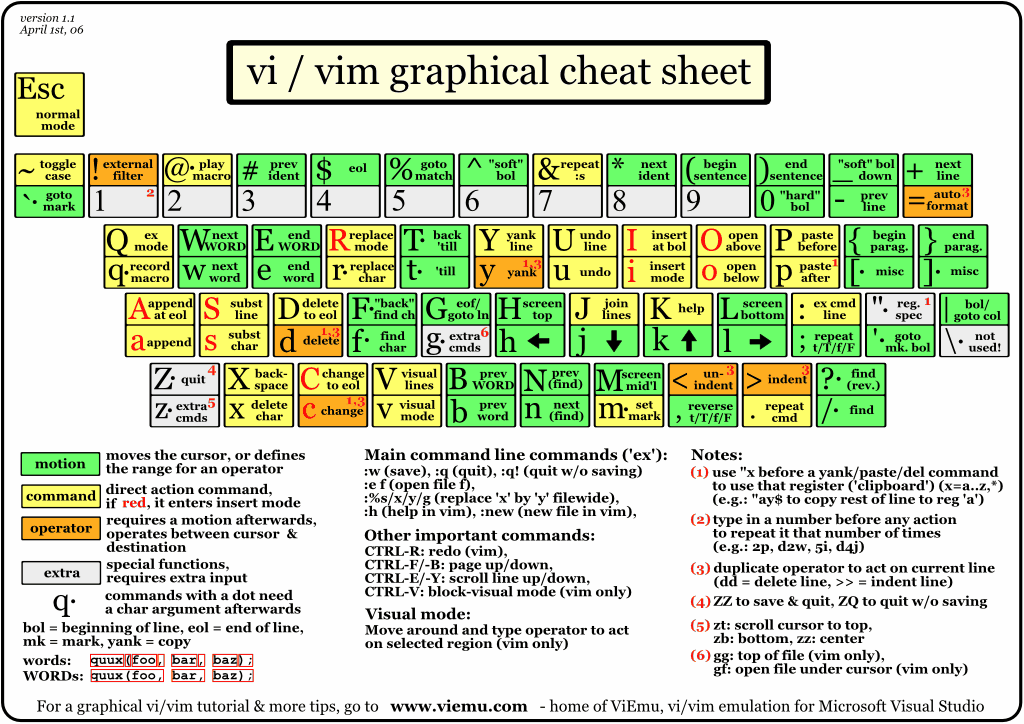
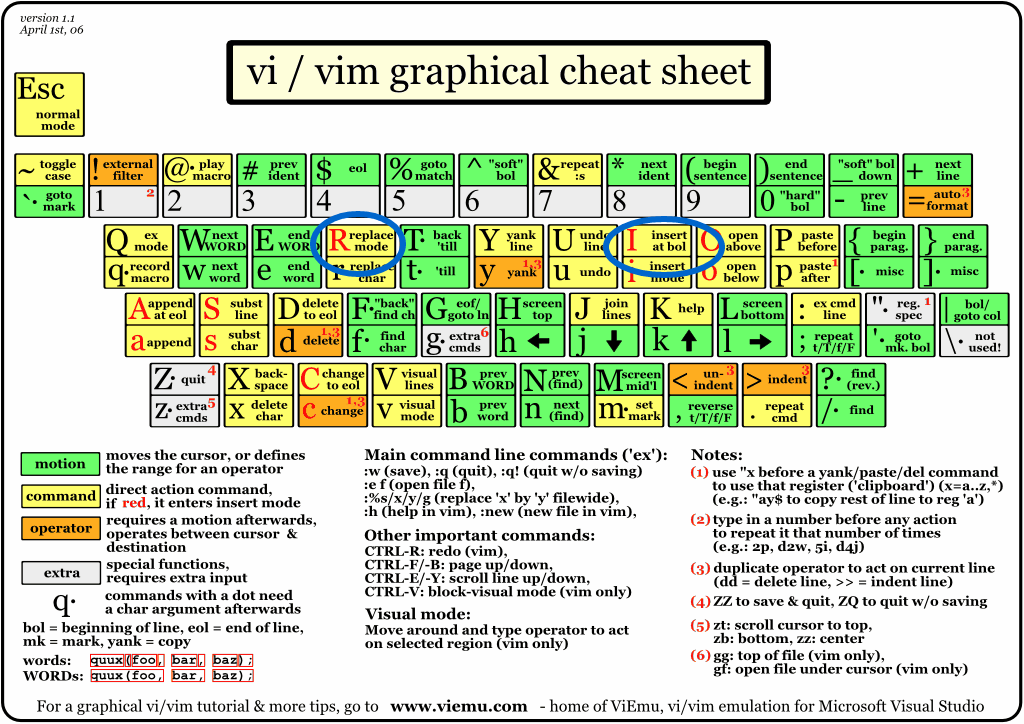
http://www.viemu.com/vi-vim-cheat-sheet.gif
Insert modes
Visual mode
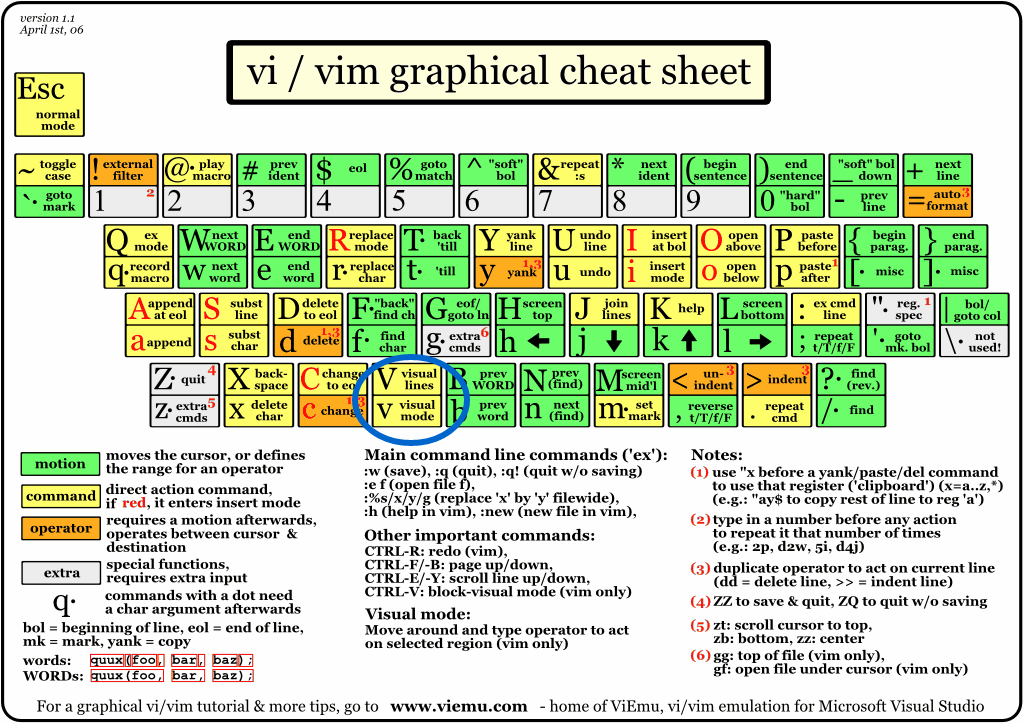
(the most of the movement and edit functions will work well but I want to mention Y for yank and D for delete, but it will also serve as a Cut function. You can P to paste the deleted or yanked string.)
common commands
- `:w` write file
- `:q` quit
- :help
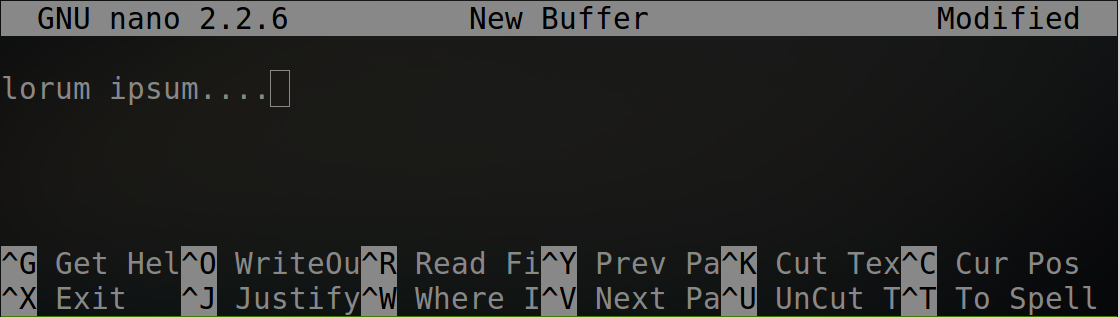
Basics
cruD
Deleting Things
rm, remove
cruD
rm , remove
all you need to delete everything.
(again the the --help flag output is to long for a slide but we will cover the ones I use the most)
cruD
rm, remove
-f, --force
rm -f file (
cruD
rm, remove
-d, --dir
rm -d directory
cruD
rm, remove
-r, -R, --recursive
rm -rf ../../foo*
Shell flavors
- history
- auto completion
- custom settings
Shell flavors
By default almost every one will be using a shell called BASH.
The Trending shell today is Zshell.
Shell Customazation, uing .rc files
$EDITOR=vim
export PATH="$HOME/.composer/vendor/bin:$PATH"
alias vhost="sudo ~/bin/vhost"
alias vi="gvim --servername GVIM"

##############
## Bash prompt
function parse_git_branch {
  git branch --no-color  2> /dev/null | sed -e '/^[^*]/d' -e 's/* \(.*\)/(\1)/'
}

function proml {
    local BLUE="\[\033[0;34m\]"
    local RED="\[\033[0;31m\]"
    local LIGHT_RED="\[\033[1;31m\]"
    local GREEN="\[\033[0;32m\]"
    local LIGHT_GREEN="\[\033[1;32m\]"
    local WHITE="\[\033[1;37m\]"
    local LIGHT_GRAY="\[\033[0;37m\]"
    case $TERM in
    xterm*)
    TITLEBAR=''
    ;;
  *)
  TITLEBAR=""
  ;;
  esac

  PS1="${TITLEBAR}\
  $BLUE[\w$GREEN\$(parse_git_branch)$BLUE]\
  $GREEN\$ "
  PS2='> '
  PS4='+ '
 }
 proml
Contact Me
- Name:
- Josh Beauregard
- Work:
- Knectar
- Twitter:
- sanguisdev
- IRC:
- sanguisdex